Northsourcing – IT Professional Services

Miami-Dade County
Broward County
Palm Beach County
Computer Technical Services
We specialize in computer setup, configuration, security, and support for most types of computers and brands. Our professionals are skilled and detail-oriented to ensure seamless operations. Trust us to take care of your computer needs confidently, whether required for your Home or Business.
Network Troubleshooting
Diagnose slow Wi-Fi, dropped connections, DNS issues, and basic switch/router problems to restore stable internet and office connectivity.
Computer Peripherals Setup
Install and configure monitors, docks, keyboards, mice, webcams, barcode scanners, label printers, and other peripherals—properly detected and working.
Windows Operating System Reset
Secure Windows reset/reimage, driver setup, updates, and basic hardening. We help restore performance while keeping your data and apps in mind.
Equipment Cleaning & Maintenance
Internal dust cleaning (as applicable), fan/thermal checks, cable management, and basic preventive maintenance to reduce overheating and extend device life.
Break & Fix Support
On-demand troubleshooting and repair for hardware or software failures—diagnosis, recommendations, and quick resolution to minimize downtime.
Computer Repair & Tune-Up
Performance tune-ups: startup optimization, malware checks, storage health checks, driver fixes, and system stability improvements.
Software Upgrades & Installations
Install and update business software, Microsoft 365 apps, security tools, printers/drivers, and essential utilities—clean, licensed, and configured.
Data Backup & Recovery
File backup setup, data transfers, restore from backups, and recovery options for deleted files or failed drives (when possible).
on-site or remotely
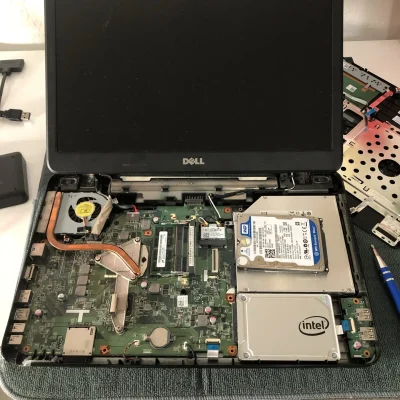
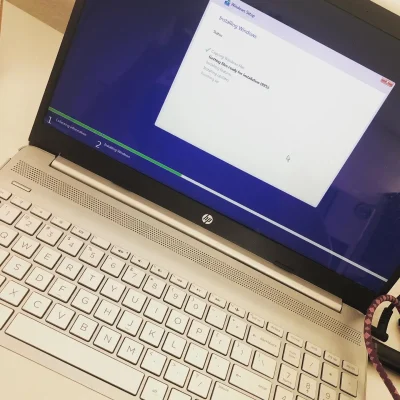
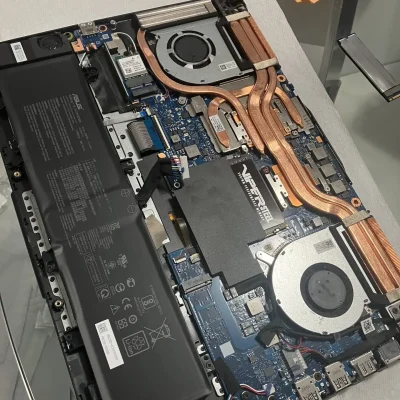
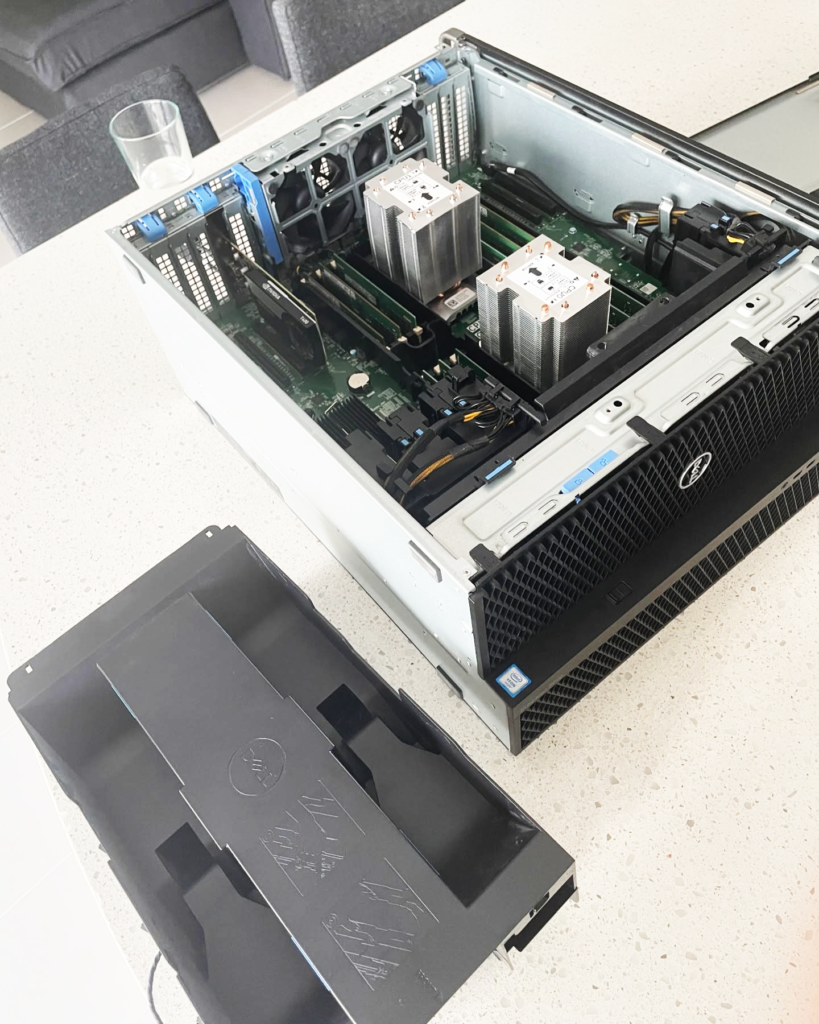
PC, Desktops, Laptops
We offer services to multiple brands such as:
- DELL – HPE – IBM – MICROSOFT
- LENOVO – ASUS – TOSHIBA
- SAMSUNG – RCA
Diagnosis and Resolution
- Constant Reboots
- Blue Screen Error
- Slow Behavior
- Connectivity Failure
- Overheating
- Power Supply Failures
- Firmware Update
- Power Failures
- Hard Drive Failure
- Memory Module Failure (Crash)
- Device Not Recognized
- Keyboard is Not Responding
- DVD ROM Not works,
- CD ROM does not work
- USB ports do not work.
- Server does not start Windows
- Wi-Fi Connectivity Poor
- WIFI Connectivity Failure
- Printer Connectivity Failure
- Chassis Vibrations
- Fan Noises
- Windows 7, 8, 10, 11
- Windows Server
- Linux
Computer Virus Removal
- Slow computer Behavior
- Programs Get Close
- Error Messages
- Multiple Pop Up windows
- New Icons, Messages in browsers
- Virus Message
- Windows 7, 8, Windows 11
- Windows Servers
- Trojans, Malware, Spyware
- Adware, Ransomware, Phishing
- Norton, McAfee, Symantec
- Kaspersky, Webroot, ESET, AVG,
- Tredn Micro, Bitfender, Antivirus
Parts Replacement
- Memory Replacement
- CPU Replacement
- Video Card Replacement
- FAN Replacement
- Power Supply Replacement
- Keyboard Replacement
- HD Disk Replacement
- Solid State Disk (SSD) Upgrade
- NVMe SSD Replacement
- Upgrade Gigabytes to Terabytes
- RAM Memory Increase
- Network Card Replacement
- Additional USB ports
Data Restore
- Information Backup
- Information Restoration
- Information Transfer
- Operating System Reinstallation
- Software Uninstallation
- File Recovery
Security Updates
- Operating System Updates
- Applying Patches
- Uninstalling Applications
- Disabling Services
- Malicious Software Removal
- Firewall Activation
- Windows Defender
- Close an Open Ports
- Remove Unwanted Users
- Close Video Camera
- Deactivate Microphones
Business Support
- Corporate Network Setup
- Domain or Workgroup Creation
- Network Printer Configuration
- File / Folder Shared System
- Network Applications
- User, Groups and Roles
- Remote Access, VPN
- Remote Desktop Access
- Licenses setup
We offer services to multiple brands such as:
- DELL – HPE – IBM – MICROSOFT
- LENOVO – ASUS – TOSHIBA
- SAMSUNG – RCA
Lorem ipsum dolor sit amet, consectetur adipiscing elit. Ut elit tellus, luctus nec ullamcorper mattis, pulvinar dapibus leo.
Lorem ipsum dolor sit amet, consectetur adipiscing elit. Ut elit tellus, luctus nec ullamcorper mattis, pulvinar dapibus leo.
Lorem ipsum dolor sit amet, consectetur adipiscing elit. Ut elit tellus, luctus nec ullamcorper mattis, pulvinar dapibus leo.
ON-DEMAND REMOTE TECHNICAL SUPPORT
Remote IT support for Miami-Dade small businesses. Get help by phone, chat, or email, and we’ll connect securely to your computer to troubleshoot, fix issues, and guide you step-by-step using shared screen support.
Secure Shared Screen Support
We connect remotely (with your approval) to diagnose issues, configure settings, and show you exactly what we’re doing—fast, safe, and easy.
Diagnosis, Fix & Repair
Troubleshoot errors, slow performance, internet problems, and device issues. We identify root cause and apply reliable fixes to reduce repeat problems.
Application Support
Support for Microsoft 365, Outlook, Teams, browsers, PDF tools, accounting apps, remote access/VPN tools, and other business software.
Operating System Reinstall / Reset
Windows reinstall or reset when needed: drivers, updates, essential apps, and basic security settings—focused on getting you back to a stable system.
Remote Monthly Support (Flat Rate)
Predictable monthly IT support for ongoing remote help, monitoring options, and maintenance—ideal for SMBs that want a consistent IT partner.
Preventive & Reactive Maintenance
Updates, patching guidance, cleanup, stability checks, and fast response when something breaks—less downtime, better performance.
Remote Setup & Configuration
Email setup, printers, network drives, cloud sync, Microsoft 365 configuration, user accounts, permissions, and business tool setup.
PC Tune-Up & Performance Optimization
Startup optimization, malware checks, disk health review, storage cleanup, and performance tuning to keep computers running smoothly.
The fastest technical service - Same-Day
We offer face-to-face computer technical support in South Florida!! We’ll come to you whether you’re in Miami-Dade, Broward, or Palm Beach counties. Our skilled technicians are dedicated to giving high-quality service. You won’t need to take time off work or drive far to get help. Our on-site technical support makes it simple to get the help you need without worrying about travel.
Our Services Process
Diagnosis
Diagnosis
Hardware Review -
Software and Applications - System Analysis -
Devices and Peripherals
Repair
Repair
Replacement Parts - Firmware update - System Reinstallation - Applications Installation
Update - Upgrade
Update - Upgrade
Memory - Disk Boost - Virus removal - Start Tunning - General Update
Optimization
Optimization
Operating System - Claim Space Needed - Applications Not Required - Starting Applications
Power on Failure, CPU Replace, Memory Replace, Memory Upgrade, Hard Drive Replace to SSD, Screen Replace, Keyborad Replace, Device Installation or Relocatation, Moving Service, External Devices Configuration, Battery Replace, Setup New Hardware.
Operating System, Microsoft Software Applications, Microsoft Office Applications, Anti-Virus, QuickBooks, Desktop Applications.
Restore & Reset to original values (Fabric Reset), Boot Problems, Operating System Error, Hard Drive Errors, Data Recovery, Failed or outdated Components, Data Transportation.
Initial Network Setup, Networ Devices Configuration, Network Connection Failure, Cabling, Wireless Printers and Devices. Wi-Fi and Wired Cabling, Remote Connections, Remote Access.
Data Backup – Data Transfer, Data Migration, Data Transportation, External Data Storage, Cloud Backup.
We Fix - Repair:
Blue Screen, Booting Failure, Not Turn On, Liquid Spill, Damage from Dropping, No Internet Connection, Overheating, Slow Performance, Screen Replacement, Parts Replacement, Virus Removal, Battery Replacement, Battery Not Charging, System Won’t Start, Information Recovery, Power Failure, Printer Failure, Data Backup and Recovery, Scanner, Software, External Devices, Software Installations – Uninstallation, Firmware Update.
Computer Services
Miami, FL
- Aventura
- Bal Harbour
- Bal Harbour Islands
- Biscayne Park
- Coral Gables
- Cutler Bay
- Doral
- El Portal
- Florida City
- Golden Beach
- Hialieah
- Hialieah Gardens
- Homestead
- Indian Creek
- Key Biscayne
- Medley
- Miami Beach
- Miami Gardens
- Miami Lakes
- Miami Shores
- Miami Springs
- North Miami Village
- North Miami
- North Miami Beach
- Opa-locka
- Palmetto Bay
- Pincrest
- South Miami
- Sunny Isles Beach
- Surfside
- Sweetwater
- Virginia Gardens
- West Miami
Computer Services
broward, FL
- Coconut Creek
- Cooper City
- Coral Springs
- Dania Beach
- Deerfield Beach
- Fort Lauderdale
- Hallandale Beach
- Hollywood
- Lauderdale Lakes
- Lauder Hill
- Lighthouse Point
- Margate
- Miramar
- North Lauderdale
- Oakland Park
- Parkland
- Pembroke Pines
- Plantation
- Pompano Beach
- Sunrise
- Tamarac
- West Park
- Weston
- Wilton Manors
Computer Services
palm beach, FL
- Atlantis
- Belle Glade
- Boca Raton
- Boynton Beach
- Delray Beach
- Green Acres
- Lake Worth
- Lake Worth Beach
- Pahokee
- Palms Beach Gardens
- Rivera Beach
- South Bay
- West Lake
- West Palm Beach
Residential o Commercial
Home or Office
Immediate Response
Performance Tuning
Applications Install and Tuning
Viruses Removal
Upgrade and Updates
Slowness Solution
Data Migration
Data Transfer
Operating System Update
Printer, Scanner Configuration
Email Support
Cloud Backup / Restore, Configuration
User, Groups and Policies
The Remote Support Service allows, in an agile, dynamic and short time, to attend to and identify any irregular situation that can be resolved at the same time or that can help understand the nature of the situation and how to act in the next few hours.
HELP RIGTH NOW!
YOUR COMPUTER MUST HAVE INTERNET ACCESS.
We want to provide you with an excellent service experience and for this, we need a little more information before continuing with the remote support process.